Updated September 4, 2026 · By @willing_ye
How to Add a Manual Mask When Face Detection Misses a Face
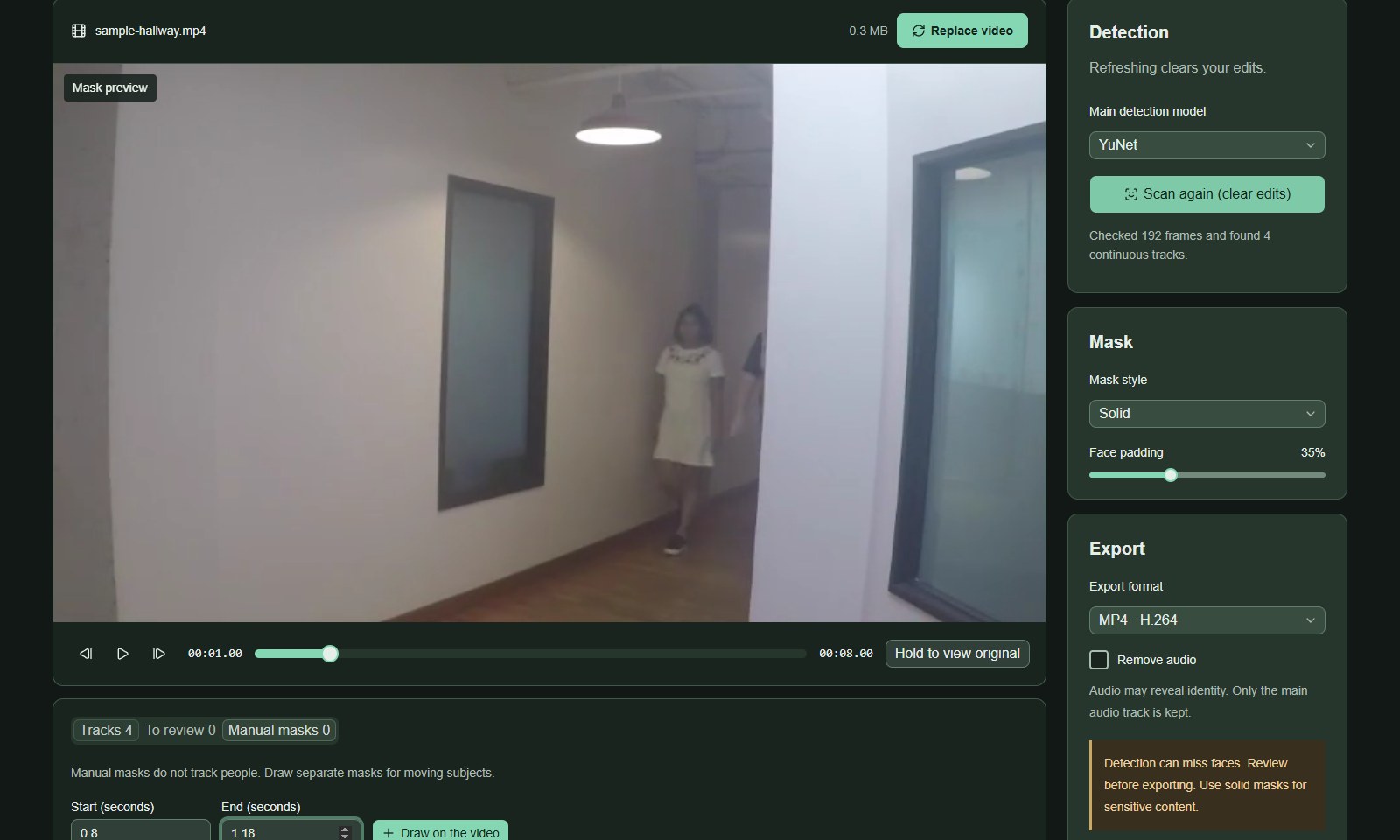
If automatic coverage misses a face or starts too late, add a manual rectangle. In the built-in Walking toward the camera sample, the woman’s distant face is visible at 00:01.00 before the first YuNet track begins. The screenshots below document that actual run rather than a deliberately disabled track.
Open FaceMasks →Real operation screenshots from the English interface. Click an image to view it at full size. These are preview screenshots, not a guarantee of coverage across the video.
1. Find the uncovered interval
Open Walking toward the camera and process it with YuNet. This run checked 192 frames and produced four tracks. Move to 00:01.00: the distant woman’s face is visible but the automatic preview has not covered it yet. Track counts and timing may differ after model changes, so inspect the frame rather than relying on these numbers alone.
2. Set a short time range
Open Manual masks. Enter 0.8 for Start (seconds) and 1.18 for End (seconds), covering the short gap immediately before automatic coverage starts in this run. These values belong to this example, not to every missed face.
3. Draw over the face
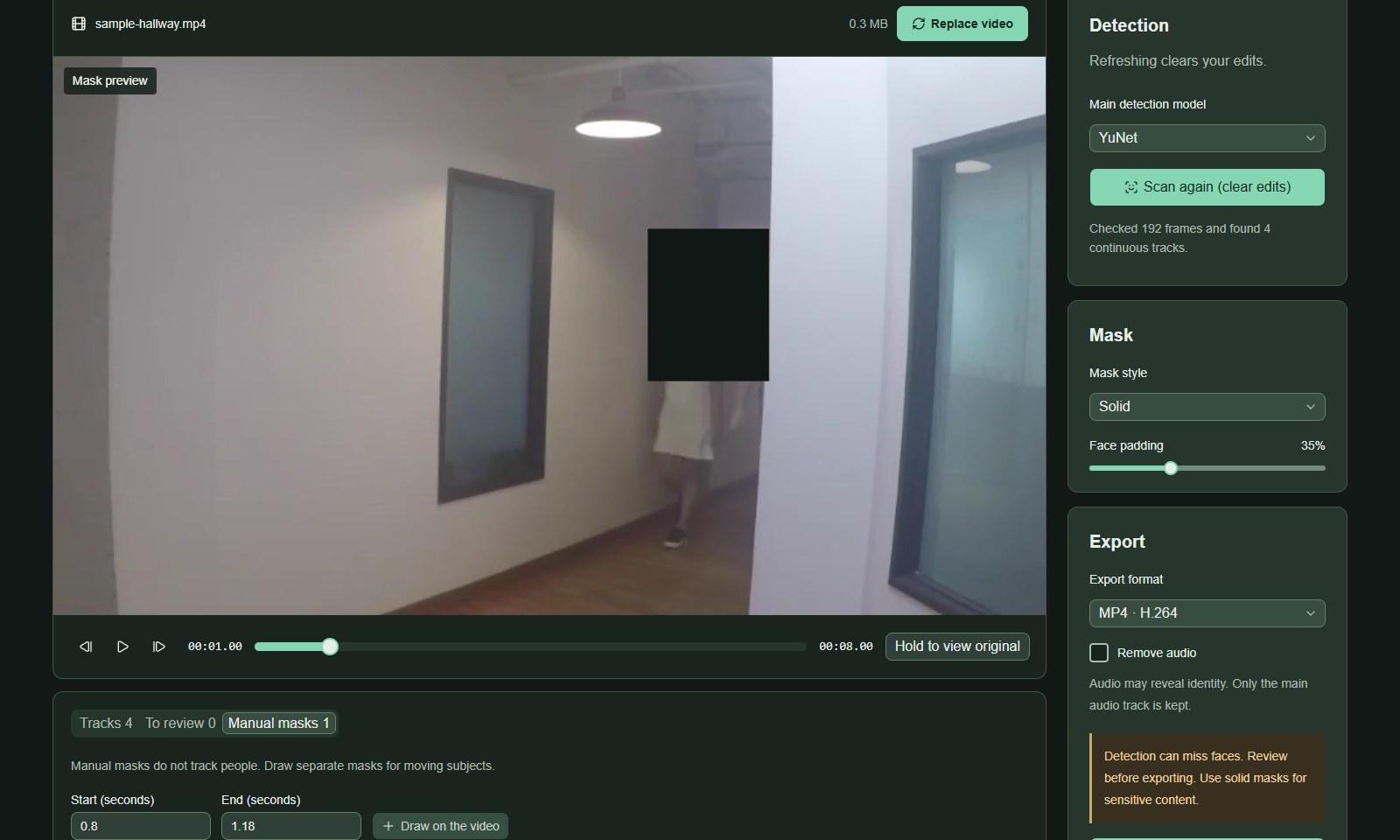
Click Draw on the video, then drag a rectangle around the exposed face in the preview, leaving enough margin. Releasing the pointer adds the mask. The manual-mask tab now shows one item and its time interval.
4. Check motion and both boundaries
Step through 00:00.80–00:01.18 and the frames immediately before and after it. A manual rectangle does not move with a face. As this person approaches the camera, delete an unsuitable rectangle and use shorter overlapping segments when one fixed area no longer covers the movement. Review the final export before sharing.
Screenshots use the credited FaceMasks sample videos and show actual browser processing results. No endorsement by the source authors or people shown is implied. face-demographics-walking.mp4 · CC BY 4.0 · Credits