Updated September 4, 2026 · By @willing_ye
How to Blur Faces in Video Online Without Uploading
You do not need to send a video to a remote editor to cover faces. This walkthrough uses FaceMasks’ built-in two-person sample and a solid mask. You can use pixelation instead, but review its strength before sharing.
Open FaceMasks →Real operation screenshots from the English interface. Click an image to view it at full size. These are preview screenshots, not a guarantee of coverage across the video.
1. Load a short video
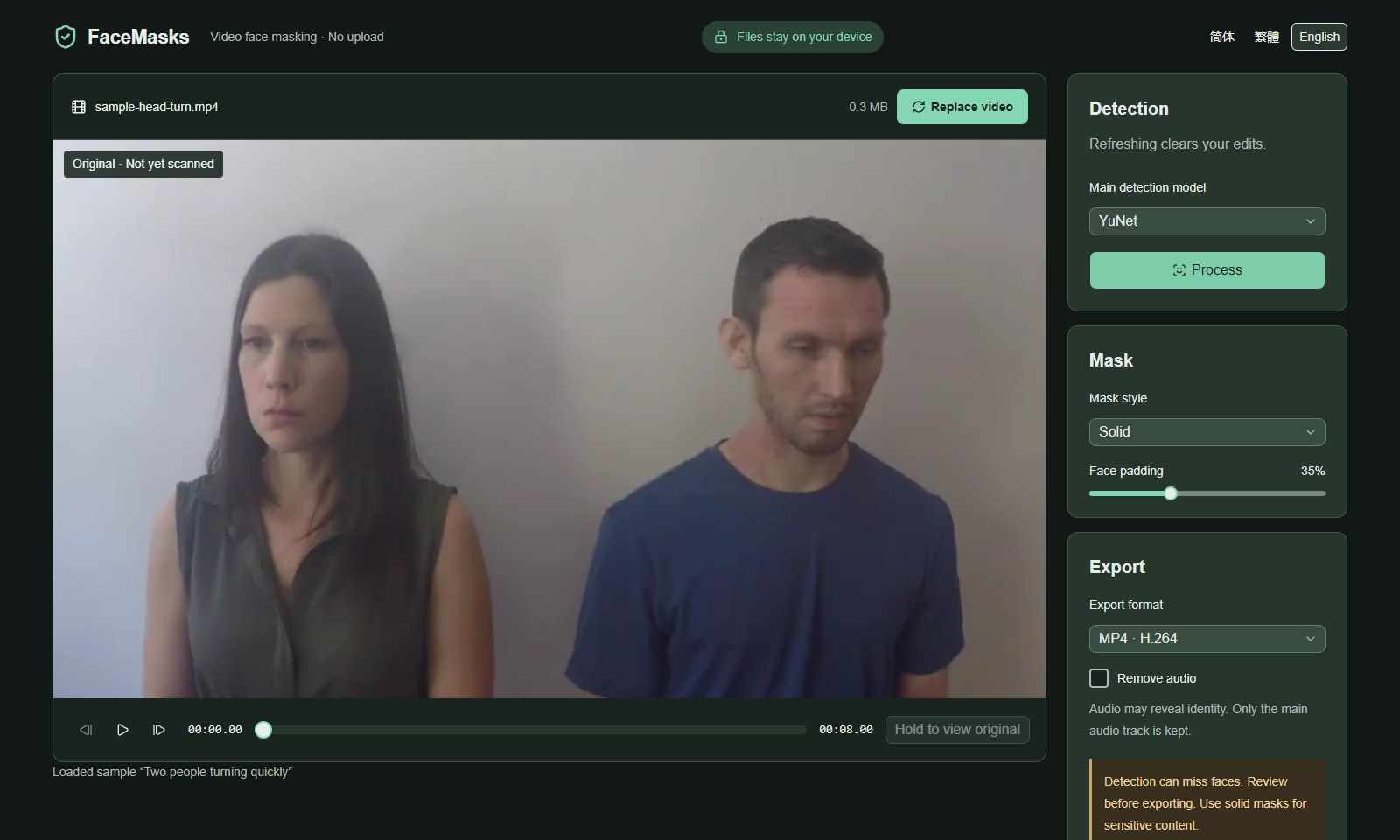
Open FaceMasks in desktop Chrome or Edge. Choose a local MP4, MOV or WebM, or open Try a sample and select Two people turning quickly. The current limits are 3 minutes, 300 MB and 1080p; actual codec support depends on your device.
2. Process and choose a mask
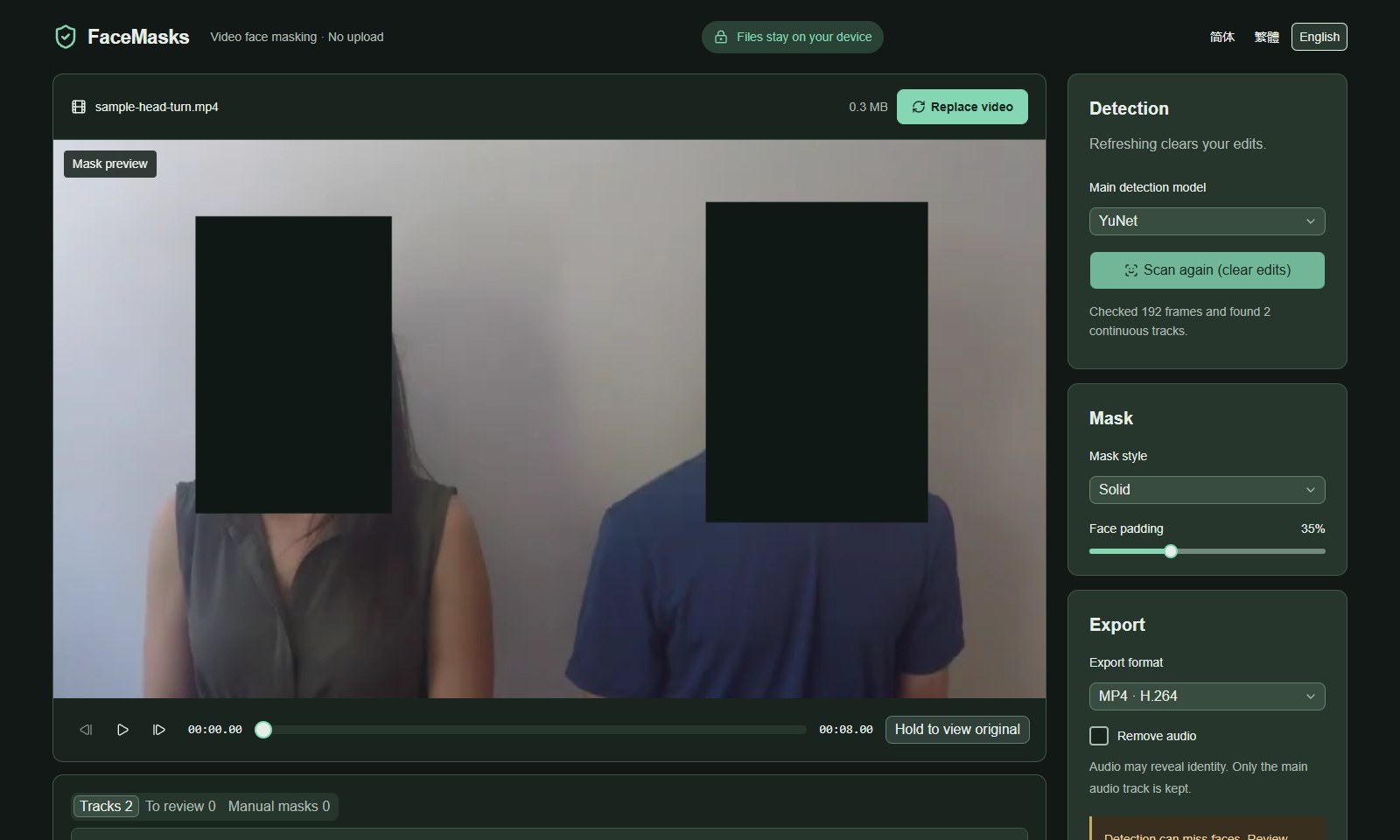
Keep YuNet selected and click Process. Wait for the scan to finish; live detection boxes during scanning are not the final output. Choose Solid for the demonstration. The edge-padding setting expands the covered area; check the edges of every face.
3. Review the whole clip
Play the result and pause at turns, occlusions, scene changes and the beginning or end of each track. Use Previous frame and Next frame for close inspection. Press and hold Hold to view original to compare. Add manual masks wherever coverage is insufficient; zero review candidates does not prove that nothing was missed.
4. Save and inspect the exported file
Choose MP4 (H.264) or WebM (VP9), decide whether to remove audio, then click Save locally. Keep the tab open until export finishes. If needed, click Download masked video after it appears. Open the downloaded file in a video player and review it again before sharing. If the codec is unavailable, try the other format or another supported desktop browser.
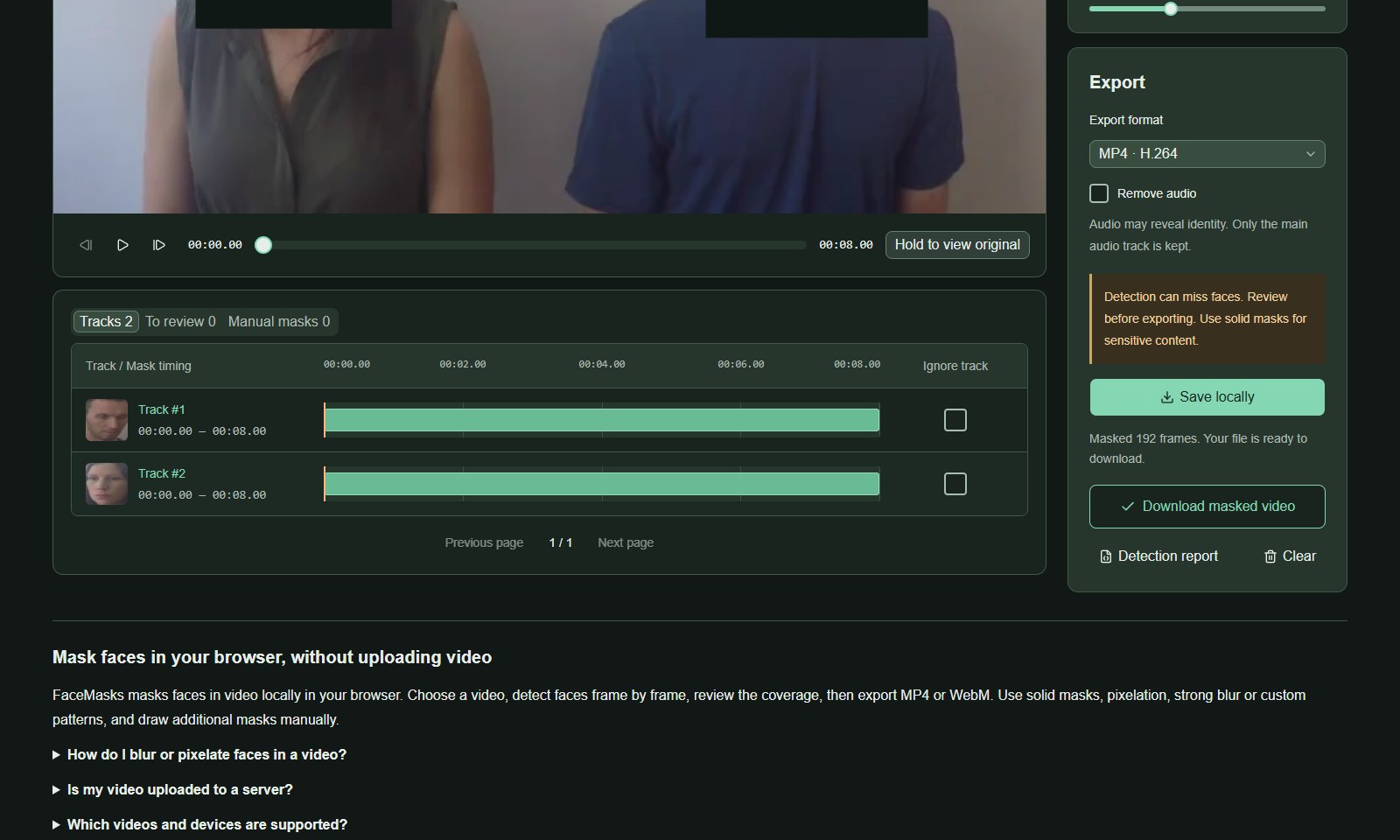
Screenshots use the credited FaceMasks sample videos and show actual browser processing results. No endorsement by the source authors or people shown is implied. head-pose-face-detection-female-and-male.mp4 · CC BY 4.0 · Credits